The intricate ballet of a modern robot, from its perceptive sensors to its precise actuators, relies on a sophisticated communication network that orchestrates every component. Before the advent of the Robot Operating System (ROS), roboticists frequently found themselves mired in the laborious task of developing bespoke messaging frameworks for each new machine. This "reinventing the wheel" phenomenon often consumed more time and resources than the actual mechanical and algorithmic development, significantly hindering progress in the field. The challenge was to create a standardized, flexible, and robust method for disparate robot parts to communicate, enabling collaborative development among engineers specializing in different functionalities, such as locomotion, manipulation, or perception.
The Genesis of a Standard: From Stanford to Willow Garage

The foundational solution to this pervasive problem emerged in 2006 from the Salisbury Robotics Lab at Stanford University. Ph.D. students Eric Berger and Keenan Wyrobek recognized the critical need for a common language and framework for robotic components. Their vision materialized as the initial iteration of the Robot Operating System (ROS), designed to standardize communication protocols. This pioneering work quickly caught the attention of Scott Hassan, the visionary founder of Willow Garage, an incubator dedicated to advancing robotics. Hassan invited Berger and Wyrobek to continue their groundbreaking efforts under Willow Garage’s supportive environment.
Over the subsequent three years, from 2006 to 2009, the team at Willow Garage embarked on an ambitious project: the development of the PR2 robot. A direct successor to Stanford’s PR1, the PR2 became the proving ground for fleshing out ROS into a comprehensive underlying software framework. The PR2, a sophisticated research robot, was engineered to navigate human environments and interact with objects, demonstrating the real-world capabilities enabled by ROS. Its public appearances, such as at Maker Faire Bay Area in 2011, showcased the tangible benefits of a standardized robotics platform, allowing researchers and developers to focus on higher-level algorithms and applications rather than low-level communication intricacies.
ROS Defined: Middleware, Not an Operating System

It is crucial to clarify that ROS is not an operating system in the traditional sense, like Windows, macOS, or Linux. It does not directly control hardware or possess a kernel for managing processes and memory allocation. Instead, ROS functions as open-source robotics middleware—a software layer that sits above a conventional operating system (most commonly Linux, particularly Ubuntu) and facilitates inter-process communication. It provides a rich collection of libraries, tools, and conventions that streamline the development of complex robotic applications. A prime example is the Transform Library 2 (TF2), which simplifies coordinate frame transformations, a notoriously complex aspect of robotics.
The design philosophy of ROS 2, the current iteration, caters specifically to complex, multi-component robotics systems. Its multiprocessing communication capabilities and extensive computational libraries offer immense value when multiple sophisticated modules need to interact seamlessly. Conversely, its inherent overhead makes it less suitable for simpler, single-purpose robots, such as basic vacuum cleaners or educational maze-solving bots, where a lightweight, embedded solution might be more appropriate. The scalability offered by ROS 2 is its decisive advantage, saving developers countless hours of frustration when building large, intricate robotic platforms.
Widespread Adoption and Commercial Success

The utility and robustness of ROS have led to its widespread adoption across both academia and industry. Research institutions globally leverage ROS for cutting-edge robotics research, fostering an active open-source community that continuously contributes to its development and expansion. Beyond research labs, ROS 2 has become a cornerstone in the commercial robotics sector.
Leading examples of its industrial application include:
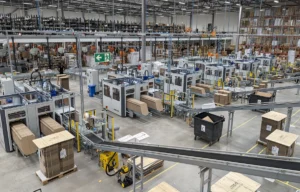
- Amazon warehouse robots: While Amazon utilizes proprietary technologies, elements of ROS-based frameworks are often integrated for navigation, fleet management, and coordination of autonomous mobile robots (AMRs) that optimize logistics and inventory management within massive fulfillment centers.
- Avidbots commercial-grade cleaners: Companies like Avidbots employ ROS 2 in their autonomous cleaning robots, such as the Neo series. These robots navigate complex commercial spaces, performing cleaning tasks with minimal human intervention, a feat made possible by ROS 2’s robust navigation stacks and sensor integration capabilities.
- Omron’s TM manipulator arms: In the realm of collaborative robotics, Omron’s TM series of industrial robot arms integrate ROS 2 for enhanced flexibility, easier programming, and seamless integration with other factory automation systems. This allows for more adaptable manufacturing processes and safer human-robot collaboration.
- Other notable adopters include companies involved in autonomous vehicles, drone technology, medical robots, and even space exploration robotics, all benefiting from ROS 2’s modularity and extensive toolkit. The ecosystem surrounding ROS has grown to encompass thousands of packages, tools, and a global community of developers, solidifying its position as a de facto standard for advanced robotics development.
The Evolution to ROS 2: Addressing Past Limitations

The first iteration of ROS, while revolutionary, encountered certain technical limitations, particularly concerning its underlying messaging layers, real-time performance, security, and native multi-robot support. Recognizing these challenges, the ROS team initiated the development of ROS 2 in 2014. This ambitious undertaking aimed to re-architect the framework from the ground up, addressing the shortcomings of ROS 1 and preparing the system for the next generation of robotic applications.
A significant milestone in this transition was the declaration of ROS 1’s end-of-life (EOL) status, effective May 31, 2025. This date marked the cessation of official updates and support for ROS 1, signaling a complete and irreversible transition to ROS 2 as the primary development platform. This transition underscores the maturity and comprehensive capabilities of ROS 2, which has been engineered to meet the demands of modern robotics, including enhanced real-time control, improved security mechanisms, and native support for multi-robot systems and distributed deployments.
Understanding ROS 2 Distributions and Development Environments

Like Linux, ROS 2 is released in distributions, which are versioned sets of ROS packages. Each release is given a whimsical, alliterative name, typically featuring a turtle and progressing through the alphabet. For instance, "Jazzy Jalisco" is a Long-Term Support (LTS) release, providing stability and support until 2029, making it ideal for commercial deployments and long-term projects. The latest release, "Kilted Kaiju," introduced in May 2025, offers the newest features and improvements, catering to developers seeking cutting-edge functionalities.
A critical aspect of ROS distributions is their dependency on specific operating system versions. Jazzy Jalisco, for example, officially supports Ubuntu 24.04 and Windows 10 (requiring Visual Studio 2019). This pinning ensures compatibility and proper functioning of all underlying libraries and dependencies. For real-world robot deployments requiring direct hardware interaction, installing Ubuntu on a dedicated machine or single-board computer (like a Raspberry Pi) is typical. However, for development, prototyping, and tutorials, containerization technologies like Docker offer a streamlined and platform-agnostic solution.
Setting Up a ROS 2 Docker Environment for Hands-On Learning

To embark on practical ROS 2 development without the complexities of direct OS installation, a pre-made Docker image provides an isolated and consistent environment. Docker Desktop, available for macOS, Windows, and most Linux distributions, allows developers to run ROS 2 in a container, ensuring all necessary package versions and dependencies are correctly configured.
The setup process involves:
- Installing Docker Desktop: Download and install Docker Desktop from docker.com, accepting default settings.
- Obtaining the ROS Docker Image and Example Repository: Clone or download the
introduction-to-rosGitHub repository (github.com/ShawnHymel/introduction-to-ros). This repository contains the Dockerfile and example code. - Building the Docker Image: Navigate to the
introduction-to-ros/directory in a command-line terminal and executedocker build -t env-ros2 .. This command constructs a Docker image namedenv-ros2, which is a substantial image encompassing a full Ubuntu 24.04 instance with a graphical interface and pre-configured ROS 2. - Running the Docker Container: Execute the appropriate command for your operating system (macOS/Linux or Windows PowerShell). This command launches the Docker container, mapping host ports to container ports (e.g., 22002:22 for SSH, 3000:3000 for the web interface) and mounting the
workspace/directory from your host into the container. This ensures that any code changes made within the container’sworkspace/persist on your host machine. - Accessing the ROS 2 Desktop: Once the container is running, navigating to
https://localhost:3000in a web browser reveals a full Ubuntu desktop environment, powered by XFCE Ubuntu webtop image, where all ROS 2 development will take place. This graphical interface provides a familiar environment for coding and running ROS 2 applications.
Understanding ROS 2 Communication Paradigms: Nodes, Topics, and Services

At its core, ROS 2 facilitates communication between modular components, abstracting away network complexities. Applications are broken down into independent processes called nodes, each responsible for a specific task—be it reading sensor data, executing complex algorithms, or controlling motors. These nodes run independently and communicate using a few fundamental patterns.
1. Topics: The Publish/Subscribe Model
Topics embody a publish/subscribe messaging model, ideal for asynchronous, one-to-many communication. A node designated as a publisher transmits data to a named topic. The underlying ROS 2 system then efficiently delivers this message to all nodes that have subscribed to that specific topic. This model is highly effective for broadcasting continuous data streams, such as:
- Sensor readings: A camera node publishing video frames, a LiDAR node publishing point clouds, or an IMU node publishing orientation data.
- Odometry data: A navigation node publishing the robot’s estimated position and orientation.
- Motor commands: A control node publishing desired velocities to a motor driver node.
Nodes can be written in various supported languages, including C++ (favored for performance-critical low-level drivers) and Python (preferred for rapid prototyping, complex vision processing with libraries like OpenCV, and machine learning frameworks like PyTorch or TensorFlow). The beauty of ROS 2 lies in its language interoperability, allowing a Python node to seamlessly communicate with a C++ node.

In a practical demonstration, one creates a MinimalPublisher node that publishes "Hello world" with a counter to a topic named my_topic twice per second. Concurrently, a MinimalSubscriber node listens to my_topic and prints every received message to its console. This setup clearly illustrates the one-to-many, asynchronous data flow of topics.
Creating a ROS Package for Topic Communication
A workspace in ROS 2 is a directory structure where packages are organized, built, and installed. A package is the fundamental unit of code organization, containing one or more nodes. To create and manage nodes, one typically follows these steps:

- Create a Package: In the container’s
workspace/src/directory, useros2 pkg create --build-type ament_python my_first_pkgto create a Python-based package. - Develop Nodes: Create
my_publisher.pyandmy_subscriber.pywithinmy_first_pkg/my_first_pkg/. These Python files define the respective nodes as subclasses of the ROS-providedNodeclass, utilizingself.create_publisher()andself.create_subscription(). - Configure Package Manifest (
package.xml): Add dependencies likerclpy(the ROS Client Library for Python) topackage.xmlso the build system knows what external ROS packages are required. - Configure Build System (
setup.py): Define entry points insetup.pythat map console commands to themain()functions of the publisher and subscriber nodes, making them executable by ROS 2. - Build the Package: Navigate back to the workspace root (
/config/workspace/) and executecolcon build --packages-select my_first_pkg.colconis the standard build tool for ROS 2, managing the compilation and installation of packages.
Running and Visualizing Topic Communication
After building, the nodes can be launched in separate terminal windows within the Docker environment.
- Source Environment: In each new terminal, execute
source install/setup.bashto make the newly built package accessible to ROS 2. - Run Publisher:
ros2 run my_first_pkg my_publisher - Run Subscriber:
ros2 run my_first_pkg my_first_pkg my_subscriber
The output in both terminals will show the messages being published and received, confirming inter-node communication. To visualize this, rqt_graph is an invaluable graphical tool. Running rqt_graph in a third terminal displays a real-time graph of active nodes and the topics connecting them, offering a clear overview of the system’s communication architecture. This is particularly useful for debugging and understanding complex robot applications with numerous nodes.

2. Services: The Client/Server Request/Response Model
While topics are ideal for continuous data streams, a different communication pattern is required for discrete, synchronous interactions where one node needs to make a specific request and receive a response. This is where services come into play, implementing a client/server model.
- A server node listens for incoming requests for a specific service.
- A client node sends a request to that server and waits for a response.
This synchronous pattern is well-suited for tasks such as:
- Setting parameters: A user interface node requesting a motor driver node to set a specific speed.
- Triggering actions: A navigation node requesting a manipulation node to pick up an object.
- Querying status: A diagnostic node requesting the current battery level from a power management node.
The example demonstrates creating a MinimalServer node that implements an add_ints service, using the AddTwoInts interface (a standard ROS 2 service message type). This server node waits for requests containing two integers (a and b), adds them, and returns their sum. A MinimalClient node then periodically sends requests with random integers to this server and processes the sum received in response.

Implementing and Testing Services
The process for creating and running service nodes mirrors that of topic nodes:
- Create Service Nodes: Develop
my_server.pyandmy_client.pywithin themy_first_pkg/my_first_pkg/directory. - Configure
setup.py: Add entry points formy_clientandmy_servertosetup.py. - Rebuild Package: Execute
colcon build --packages-select my_first_pkgto incorporate the new nodes.
To run:

- Run Server:
ros2 run my_first_pkg my_serverin one terminal. - Run Client:
ros2 run my_first_pkg my_clientin another terminal.
The server terminal will display incoming requests and the calculation, while the client terminal will show the sums received in response. Unlike topics, rqt_graph will typically only show the presence of the client and server nodes, as services represent transient, point-to-point interactions rather than persistent data streams.
Mighty Middleware: The Broader Impact of ROS 2
The initial impression of ROS 2 might be that it merely facilitates software components talking to each other. However, this seemingly simple capability forms the bedrock of modern, scalable robotics. By providing a standardized middleware messaging layer, ROS 2 empowers developers to construct complex robotic systems with unprecedented modularity and ease. It abstracts away the low-level communication challenges, allowing engineers to concentrate on the unique functionalities of their robots.

The impact of ROS 2 on the robotics landscape is profound:
- Accelerated Innovation: By providing a common framework and extensive libraries, ROS 2 significantly lowers the barrier to entry for robotics development, fostering innovation across research and industry.
- Modularity and Reusability: The node-based architecture promotes modular design, enabling components to be developed, tested, and reused independently. This speeds up development cycles and improves system robustness.
- Ecosystem Growth: The open-source nature of ROS 2 has cultivated a vibrant global community, leading to a rich ecosystem of packages for navigation, perception, manipulation, simulation (e.g., Gazebo), and more, many of which are readily available and continuously improved.
- Scalability for Complex Systems: ROS 2’s design for distributed systems and multi-robot coordination makes it indispensable for applications ranging from autonomous vehicle fleets to collaborative industrial robots.
- Real-time Capabilities and Security: Improvements in ROS 2, particularly its use of Data Distribution Service (DDS) as its underlying transport, have enhanced real-time performance and introduced robust security features, critical for industrial and safety-critical applications.
While ROS 2 brings immense benefits, developers still face challenges such as managing its inherent complexity and computational overhead for very simple tasks, as well as navigating its steep learning curve for newcomers. However, the comprehensive suite of tools, including diagnostic utilities, visualizers, and libraries like TF2 for coordinate transformations, greatly aids in building, testing, and deploying sophisticated robot software. Topics and services are just the entry points into this powerful framework, which continues to evolve, enabling increasingly intelligent, adaptable, and autonomous robots that are transforming industries and impacting daily life worldwide.
This introduction to ROS 2 through nodes, topics, and services is merely a glimpse into its vast capabilities. For those eager to delve deeper, the extensive documentation, community forums, and dedicated video series offer comprehensive resources to master this indispensable tool for the future of robotics.

This article appeared in Make: Volume 95.